
A Guide to the Special Intensive Revision (SIR) of Electoral Rolls in India

In a nation as vibrant and diverse as India, democracy thrives when every eligible citizen’s voice is heard. That’s why the Election Commission of India (ECI) is spearheading the Special Intensive Revision (SIR) of electoral rolls—a comprehensive drive to update, verify, and purify voter lists ahead of upcoming elections. This initiative ensures no eligible voter is left out and no inaccuracies slip through, making our electoral process more transparent and inclusive.
Recently, the ECI extended the SIR timeline by a week across all participating regions, giving citizens more time to engage. Drawing from the official ECI poster, this blog breaks down the essentials: the scope of the revision, how to check your name in the latest SIR list, steps to fill out the enumeration form online, key dates, and the handy ECINet app. Let’s dive in and make sure you’re all set!
The Scope: SIR in 12 States and Union Territories
The current phase of SIR covers 12 states and Union Territories (UTs), focusing on house-to-house verification and updates. These regions include:
- Andaman and Nicobar Islands
- Chhattisgarh
- Goa
- Gujarat
- Kerala
- Lakshadweep
- Madhya Pradesh
- Puducherry
- Rajasthan
- Tamil Nadu
- Uttar Pradesh
- West Bengal
This targeted approach follows Phase 1 in Bihar and sets the stage for a pan-India rollout. Booth Level Officers (BLOs) are knocking on doors to distribute enumeration forms, aiming to reach over 51 crore electors. The goal? A clean, error-free electoral roll that reflects the true electorate.
Step-by-Step: Checking Your Name in the Latest SIR List
Worried your name might be missing from the voter rolls? Don’t panic—it’s easy to verify, and the ECI has made it accessible both online and via app. Remember the motto: No eligible voter should be left out!
Through the ECI Website (voters.eci.gov.in)
- Visit the ECI portal at voters.eci.gov.in.
- Select the option “Search your name in last SIR.”
- Fill in your information, such as name, date of birth, and state/constituency.
- Enter the name of the elector.
- For a more precise search, select your relative’s name, district, Assembly Constituency (AC), or Part details.
Through the ECINet App
The ECINet app is a game-changer—a single, unified mobile app that integrates 40+ voter services into one seamless platform. Here’s how to use it:
- Download the ECINet app from your app store (Google Play or Apple App Store).
- Go to the “Voter Services” section and click on “Download ECI Net.”
- Select the option “Search your name in last SIR.”
- Fill in your details and enter the elector’s name.
- After filling the CAPTCHA, click on search.
- For precision, select the relevant District/Assembly Constituency (AC) and Part for more targeted results.
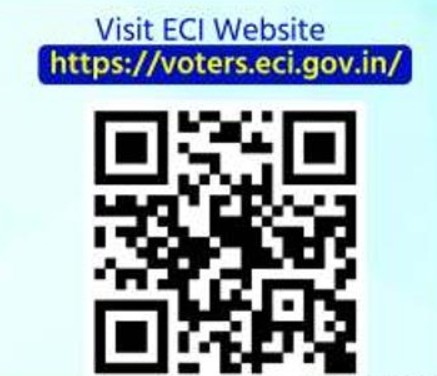
Pro tip: If you’re helping a family member or friend, use the relative’s name option for quicker checks. Scan the QR code on the ECI poster or visit voters.eci.gov.in to get started right away.
Filling Out Your Enumeration Form Online: A Hassle-Free Process
If your name is missing or needs updating, filling out the Enumeration Form (Form 6 for new voters or updates) is straightforward and fully digital. Overseas electors? No problem—there’s a dedicated section for you too.
Via the ECI Website
- Head to voters.eci.gov.in.
- Log in with your registered mobile number, EPIC (Electors Photo Identity Card), or E-mail through OTP verification.
- Click on “Fill your Enumeration Form” under the Services tab.
- Select your state, enter your EPIC number, and access your pre-filled Enumeration Form.
- If details are outside India, click on “Overseas Electors” and fill in the specifics.
- Check the information in the pre-filled form.
- Enter your registered mobile number and complete the Enumeration Form through OTP.
- Link it from the last SIR, fill in complete details, and upload a recent photo.
- Review all information in the preview and click “Submit Enumeration Form.”
- E-Sign the form and download the receipt for successful submission.
This process ensures your details are accurate and linked to previous records, reducing errors down the line.
Via the ECINet App
- Open the app and go to the Voter Services section.
- Click on “Voter Registration Form.”
- Follow the prompts to fill, verify via OTP, and submit with photo upload—just like the website version.
Whether you’re a new voter, shifting addresses, or updating documents, this online method saves time and trips to the BLO.
Important Dates: Mark Your Calendar
The ECI’s recent extension (announced on November 30, 2025) provides extra breathing room. Here’s the updated timeline for the 12 states/UTs:
| Milestone | Date |
|---|---|
| Distribution of Enumeration Forms | Up to December 11, 2025 |
| Publication of Draft Electoral Rolls | December 16, 2025 |
| Claims and Objections Period | December 16, 2025 – January 16, 2026 |
| Notice Phase (Hearings & Verification) | December 16, 2025 – February 7, 2026 |
| Publication of Final Electoral Rolls | February 14, 2026 |
Stay proactive during the claims and objections window—file any discrepancies promptly to avoid last-minute hassles. For the latest updates, keep an eye on eci.gov.in or the ECI’s social channels (@ECISVEEP on X).
Spotlight on the ECINet App: Your One-Stop Voter Hub
Tired of juggling multiple apps for voter services? Enter ECINet—the ECI’s unified mobile app that consolidates 40+ services related to voter registration, searches, and more. Available on Android and iOS, it’s user-friendly with features like:
- Quick name searches in electoral rolls.
- Form downloads and submissions.
- EPIC downloads and status checks.
- Integration with Aadhaar for seamless verification.
Download it today via the app store, and use it to track your SIR progress. It’s especially handy for on-the-go citizens in the covered states/UTs.
Wrapping Up: Your Role in a Stronger Democracy
The Special Intensive Revision isn’t just an administrative exercise—it’s a call to action for every Indian to participate in shaping our future. By checking your name, updating details, and encouraging others, you’re fortifying the foundation of free and fair elections.
If you’re in one of the 12 states/UTs, reach out to your BLO or visit the ECI website for personalized help. Share this guide with friends and family—because democracy is everyone’s responsibility.
For more resources, follow the ECI on Facebook, X (Twitter), YouTube, or LinkedIn.
Sources: Official ECI announcements and poster (November-December 2025). Dates updated as per ECI extension on November 30, 2025.